 Spacenotch
Spacenotch: Disk Space Monitor
Every drive.
One glance.
Your internal SSD, external drives, USB sticks and backup disk in one side panel that stays out of your way until you need it.
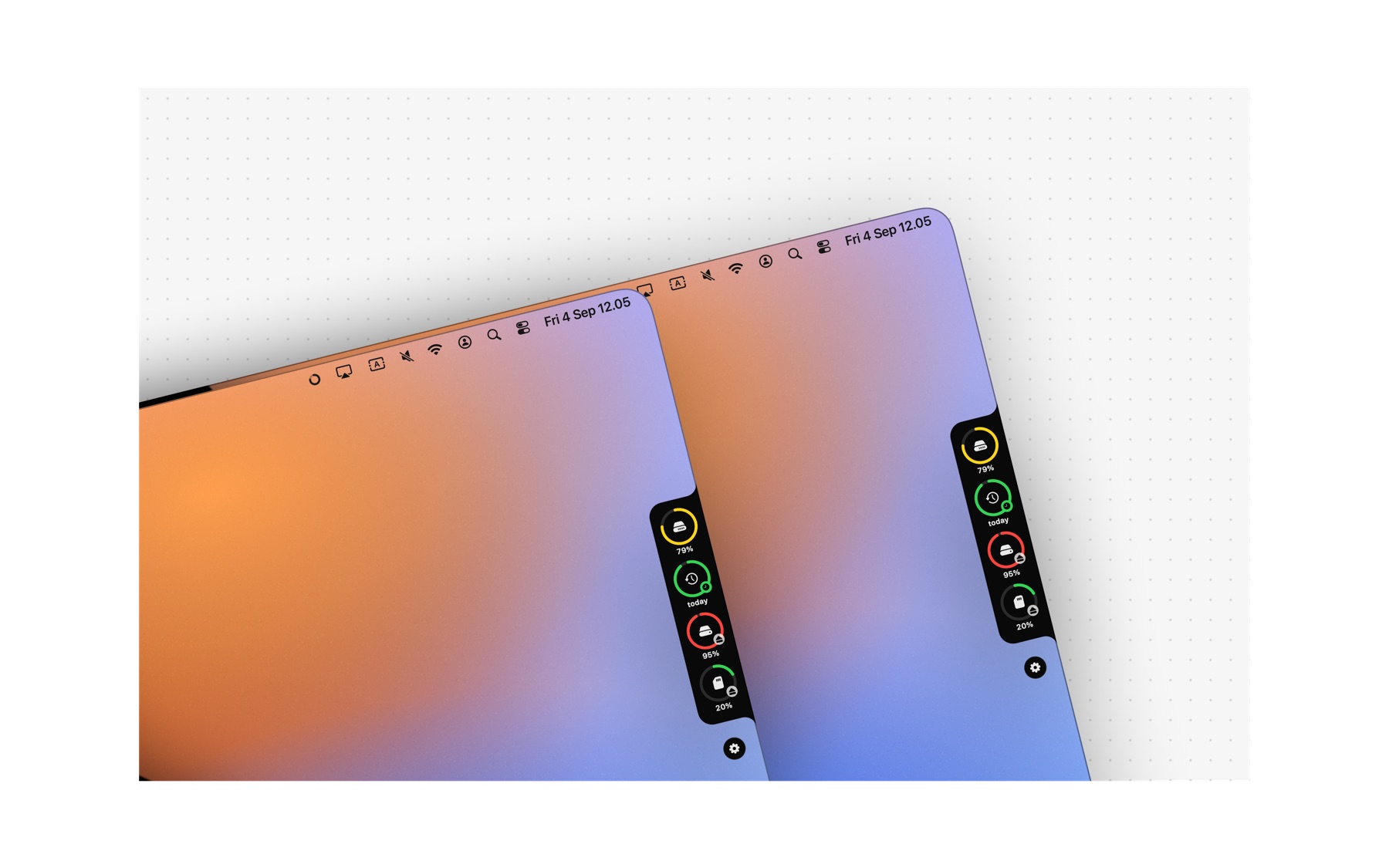
A panel on the side, not in your way.
A black panel with rounded corners at the left or right edge of any screen. It works on every Mac, with or without a notch.
Hides until you need it
A thin tab at the edge of the screen. Touch it with your mouse and the panel slides out. After a delay you choose, from 0.2 to 3 seconds, it slides back. Or keep it open all the time.
One ring per volume
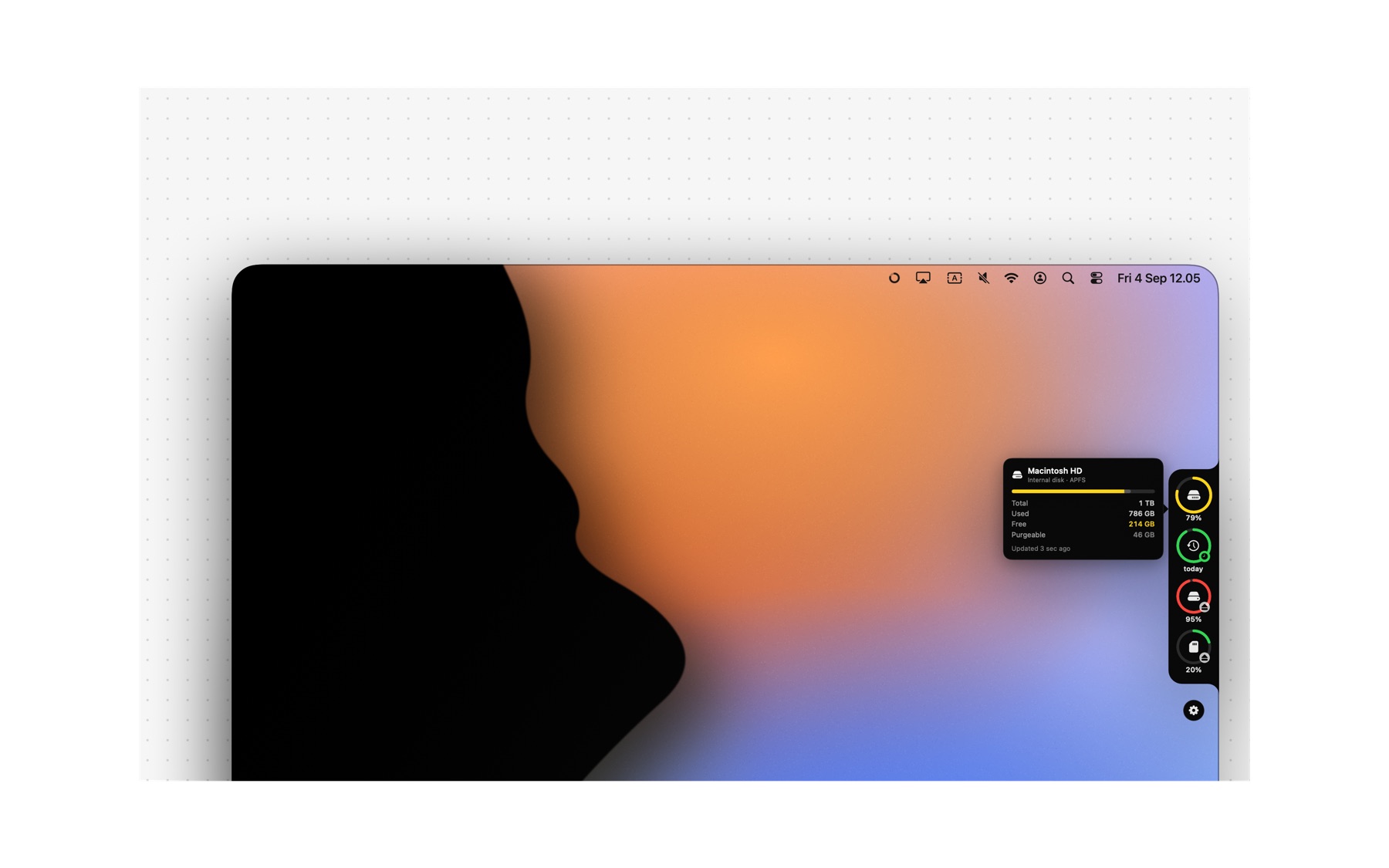
Each drive gets a ring with its icon and how full it is. Green above 25% free, yellow down to 10%, red below that or when only a sliver is left. Plug a stick in and its ring is there before you reach for the mouse.
Hover for the details Pro
Move over a ring for a card with the name, format, total, used, free and purgeable space, and an eject button. Click a ring to open the drive in Finder, ⌥-click to eject it.
Everything Finder mounts.
Internal disk
Free in the panel. The Finder figure, purgeable space included.
External SSD & HDD
USB-C, Thunderbolt and USB. Eject from the panel.
USB sticks
There within a second of plugging in, gone when you pull it out.
SD cards
Know it is full before the shoot, not during it.
Time Machine
Coloured by how old the newest backup is, not by space.
Network shares
SMB, AFP and NFS. Off by default, and never able to stall the panel.
Disk images
Mounted DMGs and sparse bundles, like any other volume.
Unplugged drives
Stay in the panel, dimmed, with the last number you saw.
Free space is the number Finder shows in Get Info, purgeable space included, so the panel and Finder never disagree. Spacenotch never scans your files: every figure comes from the volume itself, which is why it costs nothing while it sits there. There is no iCloud Drive ring, because macOS publishes no iCloud storage figure to apps.
Try everything for 7 days.
Then keep the internal disk for free, or unlock every other drive with Spacenotch Pro. One purchase, no subscription, no account.
| Feature | Free | Pro |
|---|---|---|
| Side panel at the screen edgeLeft or right, vertical position, three ring sizes, used or free percentages | ✓ | ✓ |
| Auto-hide until the mouse touches the edge | ✓ | ✓ |
| Internal disk in the panel | ✓ | ✓ |
| Show over full-screen apps | ✓ | ✓ |
| Menu bar ring that fills with the fullest driveOptionally with the percentage of the fullest volume or of the internal disk | ✓ | ✓ |
| Every volume in the menu barEach drive with its free space, plus show in Finder, eject, refresh, settings, quit | ✓ | ✓ |
| Launch at login, no Dock icon | ✓ | ✓ |
| External, USB and SD volumes in the panelEvery mounted drive its own ring, in the order you like | – | ✓ |
| Time Machine ringGreen under a day old, yellow under a week, red after that | – | ✓ |
| Eject from the panelFrom the detail card, the right-click menu or with ⌥-click | – | ✓ |
| Detail card on hoverFormat, total, used, free and purgeable, and when it was last read | – | ✓ |
| Disk space alertsPer volume, from 5% to 50% or from 5 to 100 GB, one alert per fill | – | ✓ |
| Volume optionsHide volumes, drag to reorder, keep unplugged drives, network shares | – | ✓ |
Spacenotch Pro
Every drive in the panel, the detail card, eject, alerts and the volume options. Yours after a single purchase in the app.
- 7-day trial of everything, no sign-up, no card
- No subscription, no yearly fee, no account
- Use it on your other Macs with the same Apple Account via Restore Purchase
- After the trial the free version keeps working
* Price may vary by country. The purchase happens inside the app, through the Mac App Store.
Nothing leaves your Mac.
Light
Plugging a drive in is a system event, not a scan. Under a tenth of a second of processor time per five minutes of sitting there, around 4 MB on disk, vector drawing only.
Private
No internet connection, no account, no analytics, and your files are never read or listed. Nothing prompts at first launch; the one permission is optional, for reading backup dates. Read the privacy policy.
Safe
Runs in the App Sandbox and is reviewed by Apple for the Mac App Store. It shows, warns, ejects and opens — it never deletes a thing.
Available in 34 languages, including English, Dutch, German, French, Spanish, Italian, Portuguese, Japanese, Korean and Chinese. Requires macOS 14 Sonoma or later on Apple silicon or Intel.
Questions, answered.
Do I need a MacBook with a notch?
No. The panel sits at the side of any screen, including an iMac, a Mac mini or an external display. The name refers to the shape of the panel, not the hardware.
Which volumes do I see?
Everything macOS mounts and shows in Finder: your internal disk, external SSDs and hard drives, USB sticks, SD cards and mounted disk images. Network shares are there too, switched off by default. Your Time Machine disk gets its own ring once you point Spacenotch at it.
Why is there no iCloud Drive ring?
Because macOS does not publish one. There is no API — sandboxed or not — that tells an app how much of your iCloud plan is used, and the local iCloud Drive folder lives on your boot disk, so measuring it would just be the internal ring again. Working it out would mean adding up your files one by one, which Spacenotch never does. Rather than show a number that is not the iCloud number, it shows no ring.
Does Spacenotch clean my disk?
No, and that is on purpose. It is not a cleaner, not a large-file finder and not a duplicate scanner. It shows, warns, ejects and opens in Finder. Your files are never read, listed or deleted.
Why does the free space differ from what the Terminal says?
It does not differ from Finder. Spacenotch shows the same figure Get Info shows, which counts purgeable space — old snapshots and caches macOS will hand back the moment something needs the room. The detail card lists the purgeable part separately, so you can see both.
Why is my Time Machine ring green when the disk is nearly full?
Because a backup disk is meant to be nearly full: macOS keeps writing and prunes the oldest backups to make room. A space ring there would sit red forever and tell you nothing. So the Time Machine ring is coloured by how old the newest backup is — green under a day, yellow under a week, red after that. Settings has a toggle if you would rather see space.
Will a sleeping NAS make the panel hang?
No. Network shares are read in the background with a three second limit. One that does not answer keeps its ring, dimmed, with a question mark instead of a percentage, and the panel opens as fast as ever.
How often is it updated?
Plugging a drive in or out shows up immediately — those are system events. Capacities are re-read when the panel opens and on an interval you set between 1 and 15 minutes, which pauses while the Mac sleeps.
What does it cost?
Downloading is free. After a 7-day trial the internal disk stays free; Spacenotch Pro is a one-time purchase inside the app. No subscription.
Can I use Pro on my second Mac?
Yes, with the same Apple Account. Choose "Restore Purchase" in the Pro window.
Does Spacenotch collect data?
No. The app does not connect to the internet and has no account. Read the privacy policy.
Does it ask for permissions?
Nothing at first launch. The one prompt appears only if you press "Choose…" to point Spacenotch at your Time Machine disk, so it can read the backup dates there. Everything else needs no permission at all.
How do I quit the app?
From the menu bar icon, choose "Quit Spacenotch". Closing the settings window does not quit the app; it keeps running in the background.
I have a question or a problem.
Email [email protected]. Mention your macOS version and which drive it concerns.
Questions about Spacenotch?
Mail [email protected]. Include your macOS version and the drive concerned.
Get Spacenotch
Free on the Mac App Store, with a 7-day trial of every Pro feature. Nothing to sign up for.